Product family / TSC Simulation
XR / VR Training.
Owned the product requirements and technical direction for four industrial XR experiences covering hazard recognition, wind-turbine maintenance, equipment exploration and process isolation.
Interaction with an engineering purpose
These experiences use industrial 3D in different ways: observing a hazard, following a maintenance sequence, examining a component or seeing a process respond during an isolation exercise. Each connects a visual environment to a specific learning activity.
Hazard Identification centres on judgement and communication. Wind Turbine Operations & Maintenance makes task location and sequence tangible. Equipment Explorer reveals assemblies and internals. Process Isolation & LOTO brings procedural choices together with live process behaviour.
My contribution across the family
My role combined product ownership, solution architecture and leadership of the 3D Studio. I helped connect training requirements and engineering context to product definition and delivery, while managing priorities, people and resources across the team.
I worked across immersive learning products spanning Unity environments, simulation, control-room systems and cloud delivery. I later led the wider software function, including eLearning and XR content delivery, while continuing to connect product requirements with our multidisciplinary team’s engineering work.
Multiplatform product direction
Development began in March 2023 as a push into vocational XR training and continued through October 2026, across content and platform support. My goal was a shared product project that could target Windows, AWS cloud, Android headsets, WebGL and WebXR, allowing deployment suited to the customer. These are family-level platforms; configurations vary by product.
I tested most iterations and gave feedback on functionality and training content, and worked with another developer on Jenkins CI/CD improvements to streamline testing. Unity implementation was generally by the team, with my basic LOTO simulation calculations a specific exception.
The product family
Four ways to understand industrial work.
Loads YouTube only when you press play. Watch on YouTube ↗
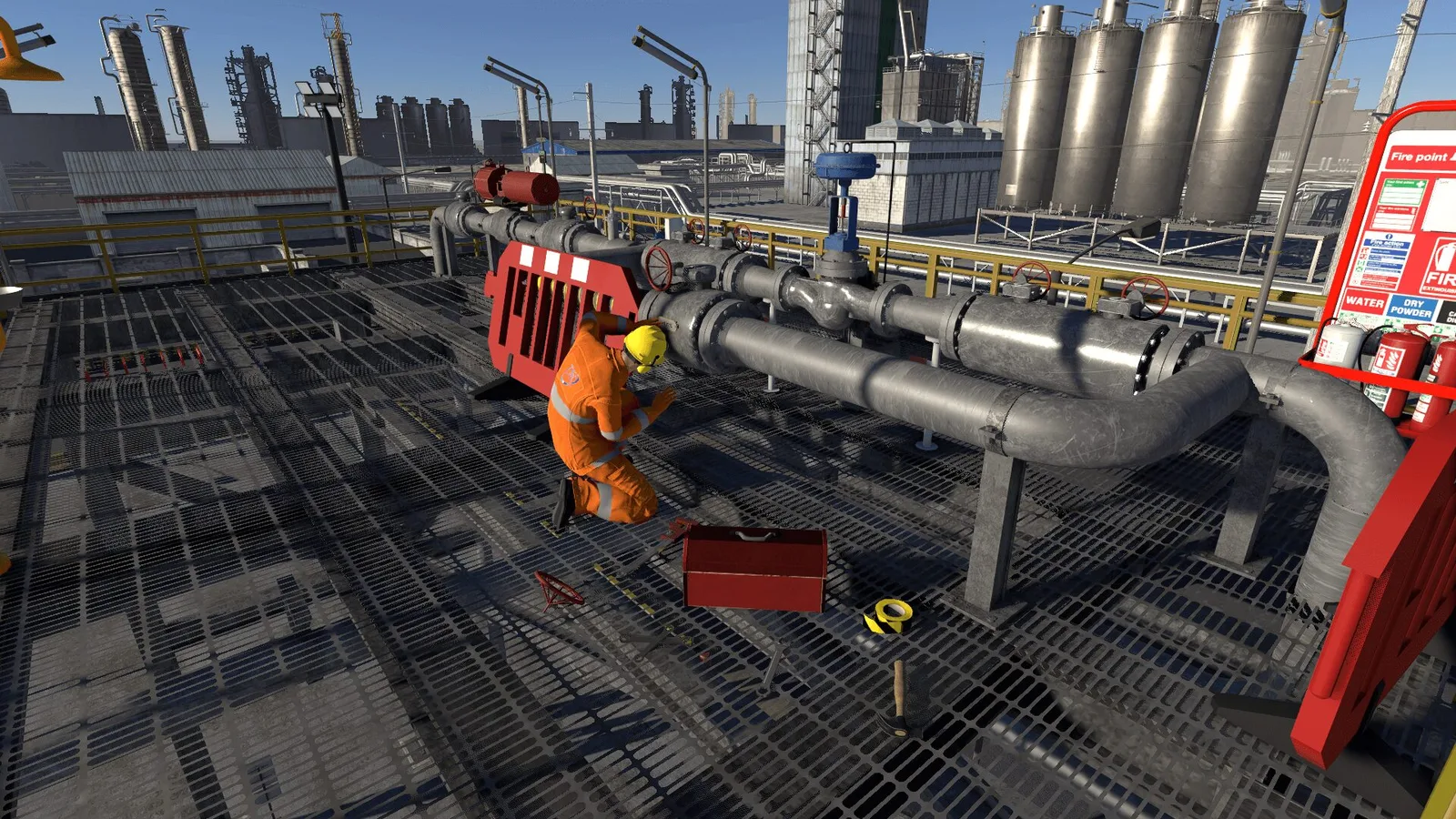
Industrial plant scenario with equipment and a worker in the Hazard Identification experience. · Image: TSC Simulation ↗
Unity · Scenario-based learning · Feedback and scoring
01 / XR experience
Hazard Identification / Process Safety
Owned the requirements and tested an industrial XR experience that turns hazard recognition into observations, decisions and communication.
Recognising and responding
Participants explore a process-plant setting, recognise potential hazards and choose a response appropriate to their role. The focus includes recognising warning signs, assessing a situation and deciding when to report a concern or seek help.
Feedback and decisions
Guided feedback and scoring connect the choices made in the environment to the learning activity. The environment supplies the visual context; the decisions and communication give the interaction its purpose. This complements the process-operation focus of the Virtual Plants with a broader process-safety perspective.
Published platforms
Loads YouTube only when you press play. Watch on YouTube ↗
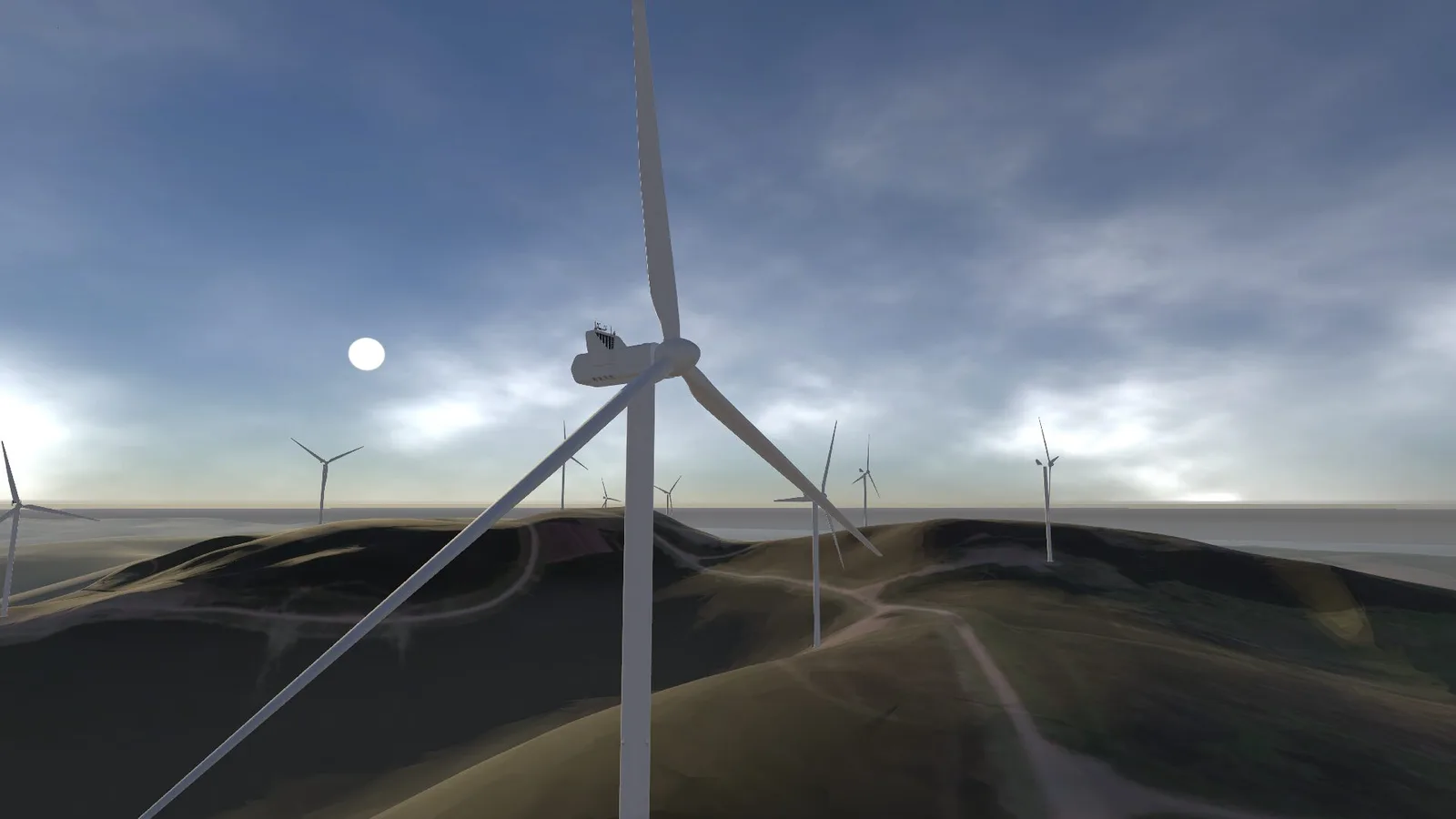
Wind turbines and surrounding terrain in the operations and maintenance experience. · Image: TSC Simulation ↗
Unity · Guided procedures · Performance feedback
02 / XR experience
Wind Turbine Operations & Maintenance
Shaped the requirements and tested a guided wind-turbine experience connecting its physical layout with maintenance tasks and procedural decisions.
Working inside a turbine
The environment covers the nacelle, rotor hub, roof, access ladders and surrounding terrain. A virtual instructor guides activities such as turbine shutdown, inspection and maintenance, with safety-related choices incorporated into the session.
Guided tasks and assessment
Equipment location, access and task sequence are presented together. Interactive tasks and assessment checkpoints provide feedback on the session, including accuracy and procedural compliance. It is a different application of industrial 3D from process control: the emphasis is on understanding a work environment and carrying out a guided sequence within it.
Published platforms
Loads YouTube only when you press play. Watch on YouTube ↗
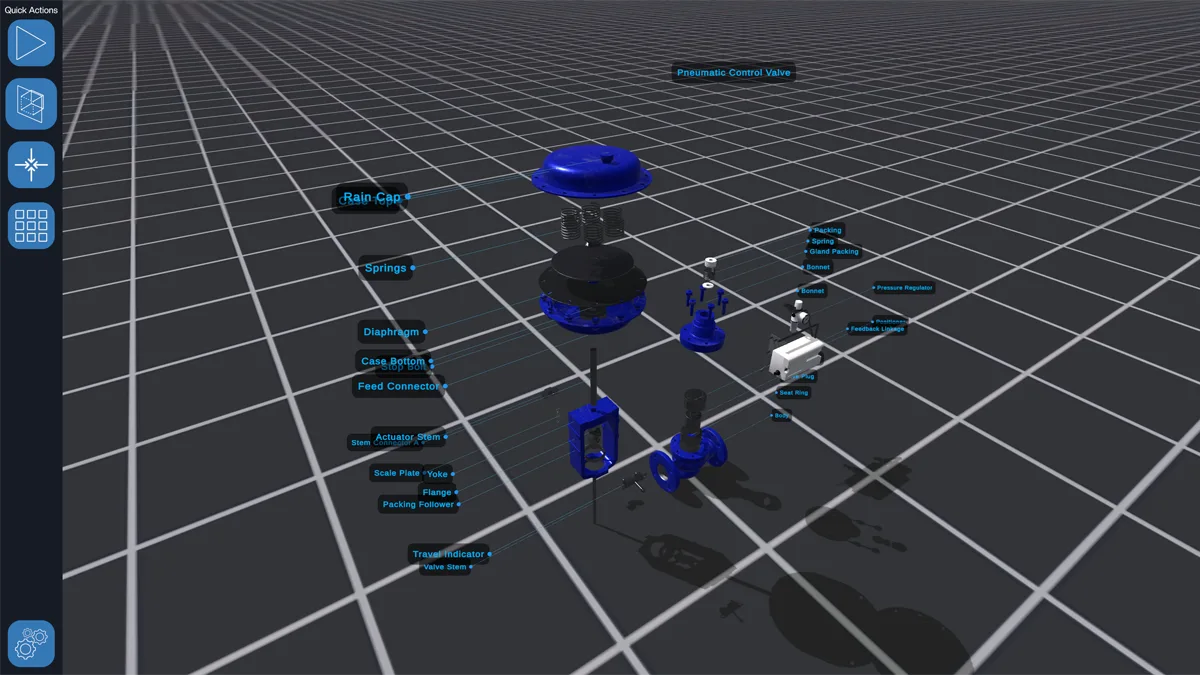
Exploded valve assembly with labelled components in Equipment Explorer. · Image: TSC Simulation ↗
More views
Unity · Exploded assemblies · Cutaways · Component interaction
03 / XR experience
Equipment Explorer
Shaped the requirements and tested an interactive equipment library that lets learners explore assemblies, internal parts and movement in 3D.
Inside the equipment
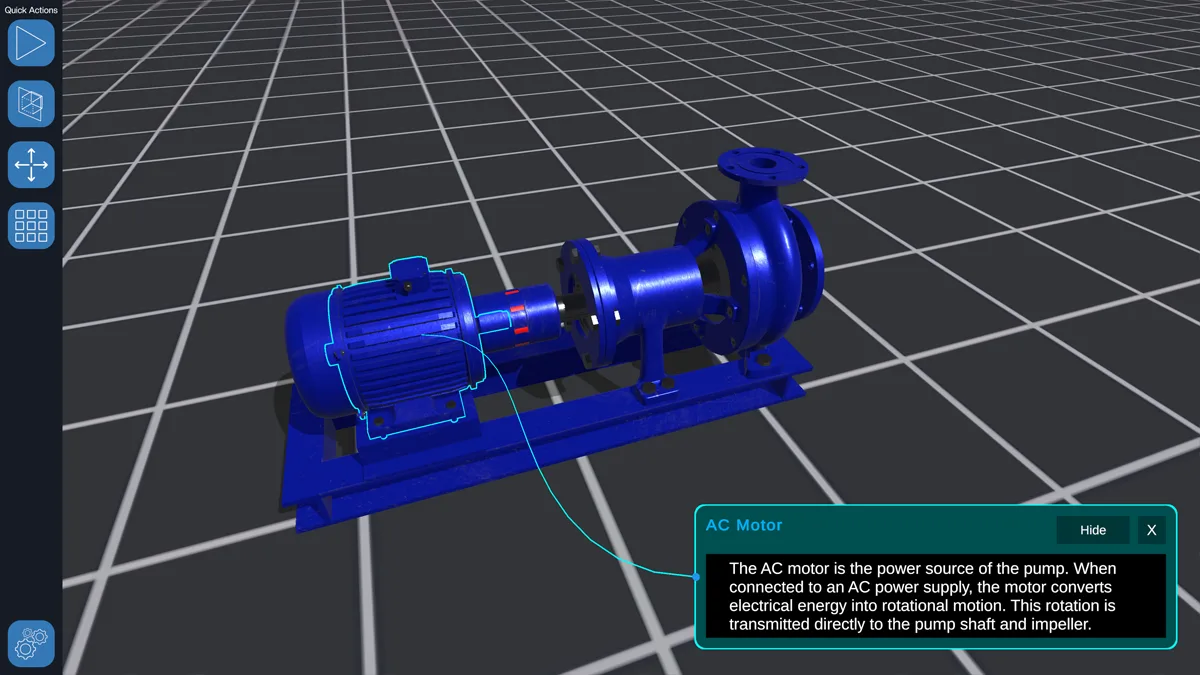
Valves, pumps, vessels, heat exchangers and other process equipment can be inspected as 3D objects. Exploded assemblies and cutaways reveal parts that would otherwise be hidden. Labels, component selection and movement help explain construction and the relationship between parts.
From component to context
The application supports equipment understanding alongside classroom teaching, Virtual Plants or control-room simulators. It shifts the focus from running a whole process to investigating an individual item: what it contains, how it is assembled and how its internals operate.
Published platforms
The product page lists Quest and PICO VR without specifying native standalone or PC-connected delivery.
Loads YouTube only when you press play. Watch on YouTube ↗
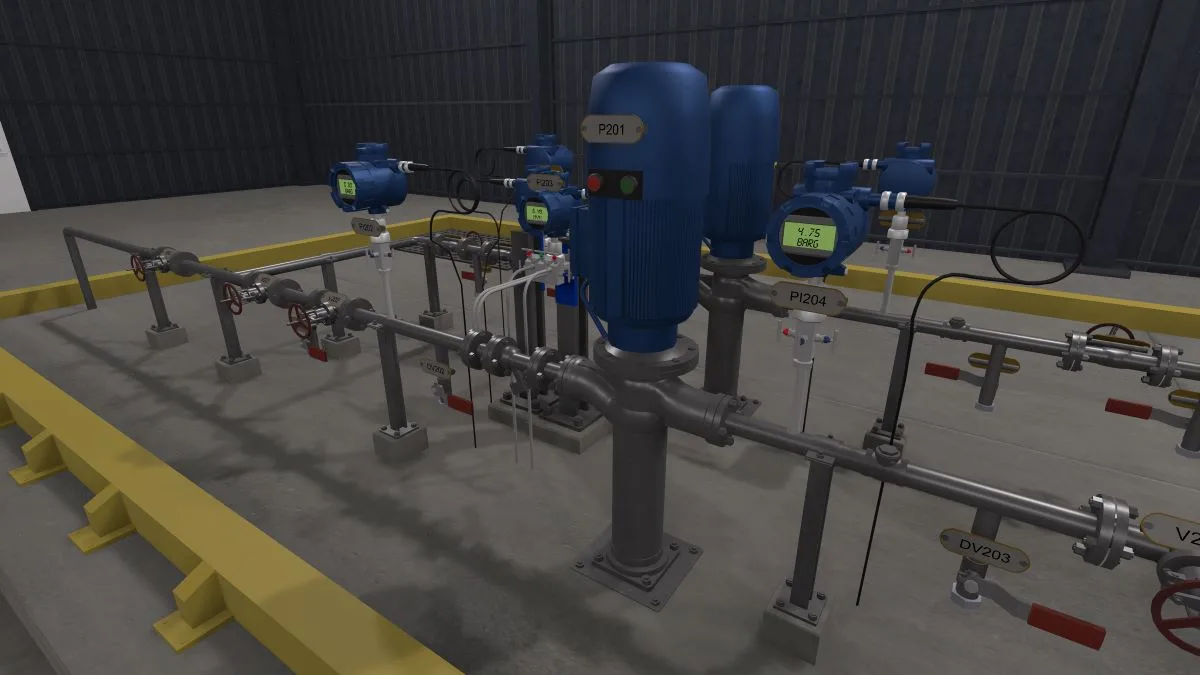
Process vessel, piping and local controls in the isolation training environment. · Image: TSC Simulation ↗
Unity · Live process response · Guided scenarios · Assessment
04 / XR experience
Process Isolation & LOTO
Owned the requirements and implemented basic flow and pressure calculations in Unity, connecting isolation decisions with process response and control-room communication.
Preparing a process for maintenance
Three guided scenarios and an unguided mode explore preparing a process for maintenance. The experience covers single- and double-valve isolation, draining, purging and lockout/tagout, with visible changes in process flow as the equipment state changes.
Decisions with a live response
Communication, monitoring and safety checks are part of the activity alongside equipment interaction. Questions and a session recap connect actions to the reasons behind them. It brings the process model and procedural training together: the environment responds while the participant works through the scenario.
My simulation contribution
I implemented rudimentary flow and pressure calculations inside Unity to support the isolation behaviour. This product used local simulation rather than connecting to a separate simulation application as the IVPs did.
Published platforms
Further context
Technical references and related project information.